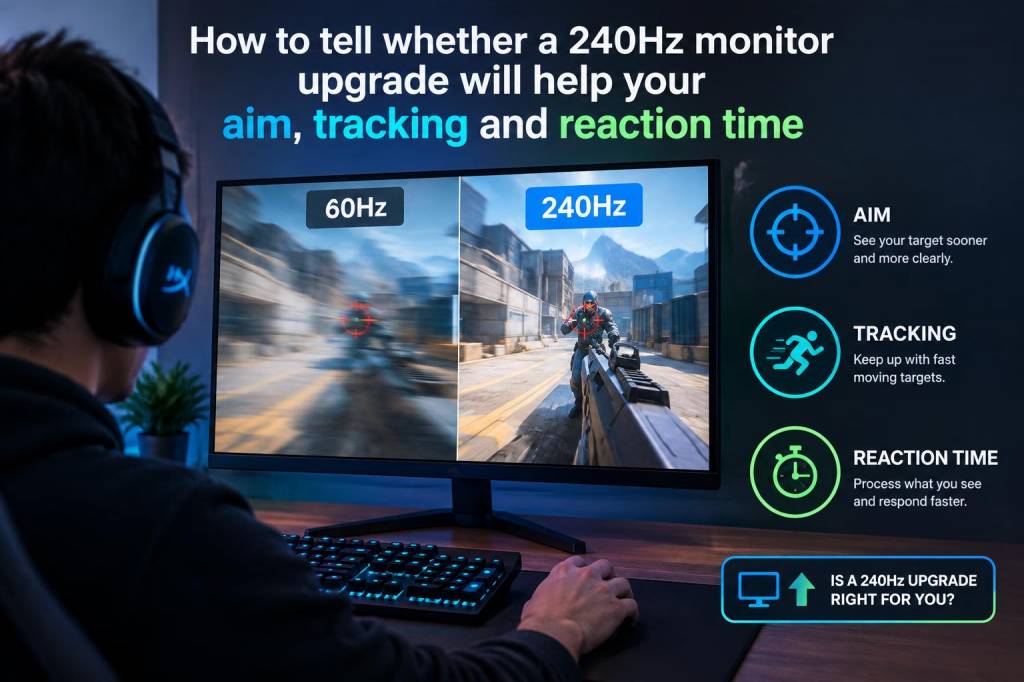
I have tested enough displays to know that a higher refresh rate can feel dramatic in one setup and almost invisible in another. A 240Hz monitor is not magic, and it will not automatically turn average mouse control into elite aim. What it can do is reduce visual delay, smooth motion, and make it easier for your eyes and hands to stay connected during fast, repeated corrections. Whether that matters for you depends on what games you play, how stable your performance already is, and how sensitive you are to motion clarity and latency.
When people ask me whether a 240Hz upgrade will help aim, tracking, and reaction time, I start with one simple idea: a monitor can improve feedback, but it cannot replace practice. If your crosshair placement is sloppy, your sensitivity is wildly inconsistent, or your frame rate keeps dropping, a new screen will not fix the real problem. If your fundamentals are already solid, though, moving from 60Hz or 144Hz to 240Hz can make small but meaningful differences that stack up over time.
What 240Hz actually changes
Refresh rate is how many times per second your monitor updates the image. A 240Hz panel updates 240 times every second, which means each frame can stay on screen for far less time than on a lower-refresh display. In practical terms, that can reduce motion blur and make moving targets easier to follow. It can also shrink input-to-image delay, which is the gap between your mouse movement and what you see happen on screen.
That delay reduction matters most in fast shooters, arena fighters, and any game where you make quick corrections while tracking moving targets. I notice it most when I am trying to hold a steady line on a strafing opponent or when I need to flick, stop, and micro-adjust in one fluid motion. On a good 240Hz display, those transitions feel more immediate and less smeared together.
Still, 240Hz does not give you more frames than your computer can produce. If your system struggles to stay near 240 fps in the games you actually play, the benefit shrinks. You can still gain some clarity from the higher refresh rate, but the experience is strongest when your frame rate is consistently high and stable.
When aim improvement is real, and when it is placebo
I think it is easy to mistake a smoother feel for a bigger skill jump. A new monitor often creates a burst of confidence, and that confidence can improve performance for a while. That does not mean the display change was meaningless, but it does mean you should separate comfort from skill gain.
For static aim, such as clicking on stationary targets or pre-aiming common angles, a 240Hz monitor helps less than people expect. Better crosshair placement, recoil control, and discipline matter far more. For tracking, micro-correction, and reactive target switching, though, I see a more consistent benefit. The extra smoothness can make it easier to keep your visual lock on a moving target, especially when your mouse sensitivity is low enough that tiny adjustments matter.
Reaction time is another area where people overestimate the impact. A monitor cannot make your brain react faster. What it can do is shorten the time between your reaction and the visible result, which may help you feel more in sync with the game. That matters in practice because cleaner feedback can reduce hesitation. You may not react faster in a biological sense, but you can respond more confidently and with less visual uncertainty.
What I look for before upgrading
Before I recommend a 240Hz upgrade, I ask a few questions about the current setup. These are the same questions I use when I test a new panel for myself:
- Do I already play at a stable high frame rate in my main games?
- Am I coming from 60Hz, 75Hz, or 144Hz?
- Do I play fast shooters, or mostly slower single-player games?
- Does my current monitor have noticeable motion blur, ghosting, or poor response behavior?
- Do I sit close enough, and focus enough, to notice subtle motion differences?
If you are moving from 60Hz to 240Hz, the difference is huge. If you are moving from a solid 144Hz monitor with good response times to a decent 240Hz model, the jump is still real, but it is smaller and more dependent on your habits. Some players notice it immediately. Others need a week of use before they start feeling the difference in control rather than just seeing it in menus and desktop motion.
Games where 240Hz matters most
I get the strongest value from 240Hz in games that reward fast visual feedback and repeated target correction. That usually means competitive shooters like Valorant, Counter-Strike 2, Overwatch 2, Apex Legends, and similar titles. These are games where a tiny delay can affect a duel, a spray transfer, or a tracking battle.
It also helps in high-speed sports titles and some racing games, though the gain can feel more situational there. In slower games, story-driven RPGs, strategy titles, or turn-based games, 240Hz is much less important. You may still enjoy the smoother cursor movement and general responsiveness, but it will not transform performance in the same way.
If your main priority is improving ranked results in a fast shooter, then yes, a 240Hz monitor can be a legitimate competitive upgrade. If you mostly play cinematic games, I would spend the budget elsewhere unless you also care deeply about desktop smoothness and general responsiveness.
Signal quality, response times, and panel behavior
Refresh rate is only part of the story. A poor-quality panel can still look blurry or overshoot even at 240Hz. I pay close attention to response times, overdrive tuning, and motion handling because a fast refresh rate with sloppy pixel transitions can produce dark trails, bright coronas, or a smeared look that hides some of the benefit.
That is why monitor reviews matter so much. Two 240Hz monitors can feel surprisingly different in practice. One may have clean motion and low latency, while another may technically advertise the same refresh rate but look worse during fast panning or target tracking. I have seen gamers blame themselves for missed shots when the real issue was poor motion behavior on the display.
If you are shopping, look for low input lag, strong response consistency, and adaptive sync support that behaves well across the frame-rate range you actually use. A monitor with excellent motion handling at 240Hz is far more valuable than one with flashy marketing and weak real-world performance.
How much your current setup matters
Hardware balance matters more than people think. If your GPU cannot hold high frame rates, the upgrade may feel underwhelming. If your mouse sensor is bad, your pad is inconsistent, or your sensitivity is not dialed in, the monitor cannot rescue that. On the other hand, if your PC already pushes high frames and your peripherals are decent, a 240Hz screen can complete the chain and reduce friction between intention and action.
I also pay attention to resolution. A 1080p 240Hz monitor is often the easiest way to get high frame rates, especially in competitive games. A 1440p 240Hz monitor can look sharper and still feel excellent, but it demands more from your system. If your goal is pure performance in shooters, 1080p often gives the most reliable path to high and stable frame rates. If you want a mix of clarity and speed, 1440p can be a strong middle ground.
| Current Setup | Likely Benefit from 240Hz | My View |
|---|---|---|
| 60Hz with competitive shooters | Very high | One of the most noticeable upgrades you can make |
| 144Hz with stable high frames | Moderate | Worth it if you care about tracking, latency, and edge competition |
| 144Hz with unstable frame rate | Low to moderate | Improve performance first |
| Casual or story-focused gaming | Low | Other upgrades may matter more |
Signs you will probably feel a difference
In my experience, players are more likely to feel the benefit if they already notice small timing details. If you care about crosshair smoothness, hate motion blur, and can tell when a game feels slightly sluggish, you are a good candidate. If you spend time in aim trainers, warm up before matches, and think carefully about mouse control, you will probably appreciate the upgrade more than a casual player would.
You are also more likely to notice the change if you use low-to-medium sensitivity and rely on smooth arm or wrist motion during tracking. Those players often benefit from cleaner motion clarity because they are visually following targets for longer periods. High-sensitivity players may still like 240Hz, but the gain can feel less dramatic because their movements are more abrupt and less reliant on sustained visual tracking.
If you are very sensitive to latency, you will probably like it too. Some players simply feel more at home when inputs translate to on-screen motion as fast as possible. That feeling can boost confidence, and confidence matters in competitive play.
Signs you should spend your money elsewhere
I would not rush into a 240Hz upgrade if you still have obvious bottlenecks. If your frame rate drops constantly, if your mouse feels inconsistent, or if your game settings are not optimized, I would solve those first. A better GPU, a more stable CPU setup, or a higher-quality mouse pad may improve your play more than a new monitor in those cases.
I would also be cautious if you mainly play slow-paced games and only occasionally jump into a shooter. A 240Hz panel is nice, but it is not a universal priority. Spending more on a monitor only makes sense when the display is part of your active competitive experience, not just a spec sheet upgrade.
For me, the cleanest test is simple: if I already enjoy fast games, already maintain strong frame rate output, and already care about small mechanical improvements, then 240Hz is worth serious consideration. If I am still fixing basic issues, I keep the money in reserve and improve the fundamentals first.
A practical way to judge your own upgrade path
The most honest way to judge a 240Hz upgrade is to test your current setup against your actual habits. Play your main game at your current refresh rate, then borrow or demo a 240Hz monitor if possible. Focus on three things: how easy it is to track moving targets, how quickly you recover after a flick, and how stable the image feels during fast camera turns. If those moments feel cleaner and more controlled, you will probably benefit from the upgrade in daily play.
I also recommend thinking about your long-term use. If you spend hours each week in competitive games, the value of a good monitor compounds. Every smoother duel, every cleaner strafe read, and every clearer micro-adjustment adds up. That is where 240Hz starts to make sense for me: not as a flashy spec, but as a small performance advantage that keeps paying off every session.