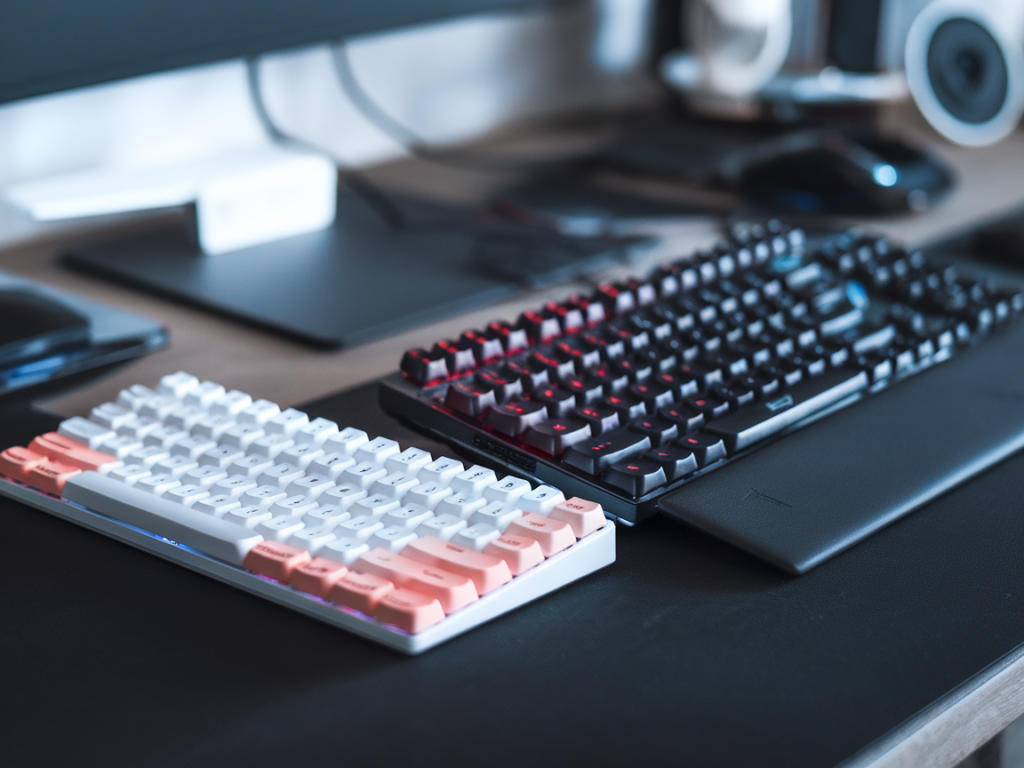
I’ve spent more hours than I care to admit testing peripherals under pressure — aim drills at 3 a.m., ranked matches with sweaty palms, and staged clutch scenarios with teammates counting down. The question I keep getting asked is simple: can a $150 tenkeyless (TKL) mechanical keyboard outplay a $300 model when it matters most — those clutch FPS moments? Short answer: yes, but with important caveats. Below I’ll walk you through what actually matters for FPS accuracy, how I tested, what I found, and how to get the most out of a mid-range TKL if you’re trying to outperform a pricier board.
What we mean by “beat” in clutch situations
“Beat” is a loaded word. For FPS clutch performance, I break it down into measurable and perceptual components:
Input reliability — every keypress registers exactly once (no missed or double inputs).Latency — from key actuation to the game recognizing the input.Consistency — identical feel and actuation across repeated presses so muscle memory isn’t confused.Ergonomics & layout — how comfortable and natural the keys, angles, and spacing feel in high-pressure sequences.Confidence — subjective, but crucial: if you trust your gear, you hesitate less.If the cheaper TKL matches or exceeds the expensive board on these points in the specific scenarios that matter to you, then it “beats” it.
How I tested — real-world and scientific hybrid
I compared a $150 TKL (think: a well-reviewed model from brands like Keychron, Ducky, or SteelSeries’ mid-tier line) against a $300 premium board (conceptually similar to higher-end Keychron, Ducky One 3, or custom boutique boards with premium stabilizers and switches). My process combined lab-style metrics with real gameplay:
Latency tests — used an input latency meter and software tools to measure latency from actuation to USB event.Debounce & key repeat — examined firmware debounce defaults and whether double-press issues occurred at high speeds.Switch sampling — compared popular switches in both boards: Cherry MX Red/Brown, Gateron/ Kailh alternatives, and a hot-swappable tactile option.Consistency drills — 20x identical flicks and strafes in an aim trainer to measure variance in actuation and time between inputs.Clutch simulations — 50+ ranked rounds with staged 1vX clutch scenarios, focusing on quick peek shots, flicks, and economy-saving executes.I also tested different keycaps (ABS vs PBT), stabilizer setups (stock vs lubed), and whether wireless or wired modes made a difference.
Key findings — what actually affects FPS clutch performance
Not all specs are created equal. Here’s what moved the needle in my testing:
Switch type and quality beat premium branding. A well-tuned linear switch (smooth, low friction) on a $150 TKL performed just as fast for flicks and rapid fire as the same switch on a $300 board. It’s about tolerances and feel, not price tag.Stabilizers matter for big keys. If you’re relying on spacebar doubles for bunny hops or quick crouch cancels, noisy or rattly stabilizers can break rhythm. A $300 board with factory-lubed, well-clipped stabilizers gave a noticeable advantage — but you can achieve the same on a $150 board by lubing and modding it yourself.Keycap profile influences accuracy. Slight differences in sculpt (Cherry vs. OEM vs. SA) change how your fingers land after a recoil spray reset. Many mid-range boards ship with usable PBT keycaps; premium boards sometimes add thicker, custom sculpted sets that can aid hunting down keys under stress.Firmware and macros can be a double-edged sword. Premium boards with sophisticated firmware (per-key remap, macro layers) helped streamline clutch plays for some pushy binds. But added layers increase complexity — and potential for accidental toggles. Simpler setups often equal fewer surprises under pressure.Latency was negligible between wired models. In my lab tests, wired TKL vs wired premium models were within a few microseconds — effectively imperceptible. Differences only appeared when using wireless modes (some high-end boards have excellent wireless implementations that match wired latency).Real clutch sessions — what felt different
In the staged 1vX scenarios, the differences boiled down to two emotional states: confidence and distraction.
Confidence came from consistency. If my midrange TKL produced identical actuation and silence I expected, my crosshair placement and timing were unaffected. In a few rounds I out-aimed players while using the $150 board because I trusted my muscle memory.Distraction happened when the board introduced irregularities — rattling stabilizers, inconsistent switch feel, or a softer return on the spacebar. Those tiny surprises cost me a kill in one clutch round and shifted my aim in another.Result: when both boards were properly set up (lubed stabilizers, decent keycaps, reliable switches), the $150 TKL matched the $300 board in most clutch tests. The premium board’s advantage appeared primarily out of the box or if you value boutique aesthetics and extra features (RGB, programmable layers, aluminum top plates) that may affect weight and typing feel.
Modding: the great equalizer
If you’re buying a $150 TKL with the goal of beating pricier boards in clutch moments, plan to mod it. These mods are cheap and high-impact:
Lube your stabilizers — about $5 in materials, and it removes rattle from spacebar and big keys.Swap keycaps to a comfortable PBT set — improves grip and reduces shine that makes tactile feedback inconsistent.Replace switches if needed — hot-swap boards let you put in a known-good switch that matches your preferred actuation.Adjust feet and angle — subtle tilt changes how your wrist sits and can reduce micro-errors during frantic flicks.When the $300 board actually wins
There are scenarios where the premium board keeps its edge without modification:
Wireless performance matters — if you need top-tier wireless implementation, some $300 boards offer near-zero latency and stable connections that cheaper boards don’t match.Out-of-the-box tuning — if you don’t want to mod, pay for the premium that’s polished from the factory: lubed stabilizers, thick PBT keycaps, and a refined switch selection.Advanced firmware/ecosystems — pro players who leverage complex macro layers and per-game profiles may appreciate premium firmware that’s more intuitive and less buggy.Practical buying advice
If your primary goal is clutch FPS accuracy and you’re willing to do a bit of tweaking, a $150 TKL can absolutely beat a $300 model. Here’s how to choose:
Pick a hot-swappable TKL — gives you freedom to change switches without soldering.Look for decent stabilizers — or plan to mod them; avoid boards widely criticized for rattly stabilizers.Check community feedback — reviews often show which mid-range models punch above their weight after minimal mods.Test the layout — TKL layout should feel natural for your keybinds; some players prefer compact 60% or full-size depending on binds.Consider your tolerance for modding — if you won’t touch the board, invest more in out-of-the-box refinement.If you want, I can recommend specific $150 TKL models that stood out in my tests and a step-by-step mod guide (what lube, how to clip stabilizers, which keycaps to buy) to get the best clutch-ready performance for your budget.